Search results for: “label/Phones”

  • The Best Camera Apps for Android

    The Best Camera Apps for Android

    Tons of camera apps has been made since the foundation of Android OS. While many blogs and websites has had their say on which app is best, we are going to consider seven Android camera apps that can easily fit in as the best among it’s kind.
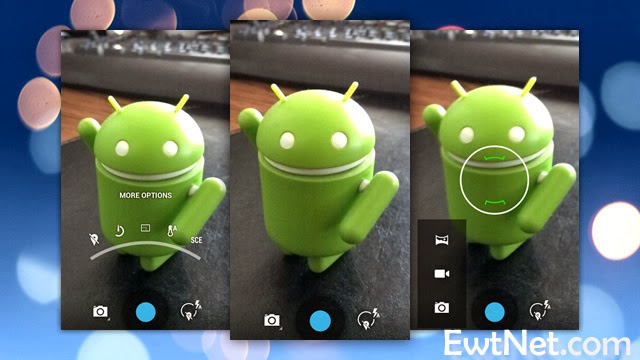
    In this list we are going to consider features that makes them stand out among the crowd and reasons why they are better than your preferred camera app. From 1 – 7, let’s get the list rolling.

    Camera360 Ultimate – The Best Camera App

    For sometimes now the position of Camera360 Ultimate has been unquestionable in the marquee of best Android camera apps. The free mobile application is arguable the best camera app around this days and could easily replace any smartphone default camera app.

    Features

    Camera360 Ultimate of course, was only an upgrade on the old Camera360 app, which was mostly known for its HDR shooting mode. The recent version still has it in there, among some other useful features like photo effects, quick sharing, support for phone-mountable Sony lenses, and a very easy-to-use interface.
    • Easy-to-use Interface
    • Support for Phone Mountable Sony Lenses
    • Photo Effects
    • New Camera Store
    • Basic editing tools, including crop, rotate, etc
    • Photos are classified by time in Camera360 album for easy photo search and management.
    • Safe and smart cloud album for photo storing, managing, editing, sharing and more.
    • Free photo editor featuring tons of filters, unique shot modes, and extras not found in other apps from the genre
    • 1-tap upload to Facebook, Twitter, Flickr, and more
    • HDR Shooting Mode
    • Real-time digital zoom
    • Hardware tweaking options, including white balance, night shooting modes, ISO, focus metering, exposure, contrast, saturation, and more (as long as your hardware supports it)

    The Awesome
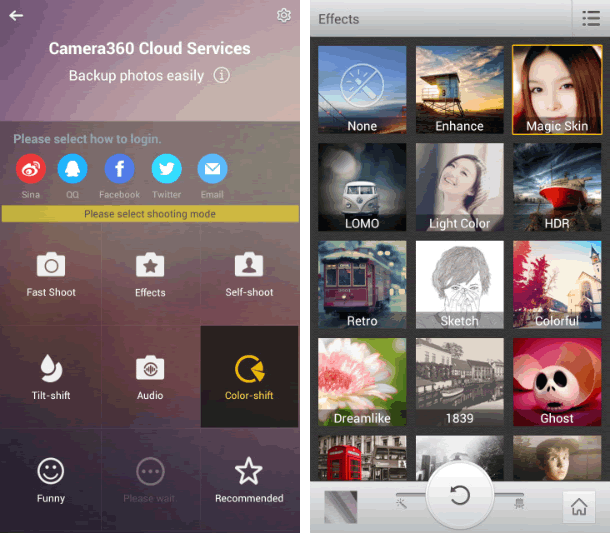
    The application compared to its competitors is worth over $4 – $5 but has been made totally free by its producers. Camera360 Ultimate makes it easier to choose between normal shot and special effects shooting mode allowing it to function properly on almost every Android device including low end Tecno Android phones.
    The latest version of Camera360 Ultimate is loaded with amazing photo tools and features. The good thing about the application is the new camera store where you can manage and add new features to your camera app. You can add features such as Effect Cam, Selfie Cam, Easy Cam, Scene Cam, Funny Cam, Tilt-shift Cam, Color-shift Cam, Audio Cam, etc. Free of charge.

    Where It Falls Short

    Camera360 Ultimate’s interface is great at guiding you right to the type of shooting mode you may want, but the problem with the app is that it’s gotten progressively bloated and bogged down with features that aren’t too useful and have little or nothing to do with taking good photos—just gimmicky ones. It’s also gotten to be a big of a storage hog, weighing in at 21mb.

    6 Worthy Alternative of Camera360 Ultimate

    Camera ZOOM FX ($3.00) has been the preferred camera app for many android users but will always face stiff competition against free top crooners like Camera360 Ultimate. The camera app has features such as:
    • Auto-focus and tap-to-focus modes
    • Hardware tweaking options, including white balance, night shooting modes, ISO, focus metering, exposure, contrast, saturation, and more (as long as your hardware supports it)
    • Gesture and multitouch support, including pinch to zoom, tap to focus, and tap to shoot
    • Burst shooting mode that supports up to 20 shots/second
    • Customizable grid overlays (so you can make use of the rule of thirds, the golden ratio, or other composition techniques)
    • Horizon level indicator (never take tilted photos again)
    • Stable shot meter and shooting mode (with crosshairs that flash red when the camera is moving)
    • Customize all the hardware buttons on your phone and assign them to camera functions, e.g. zooming with the volume controls
    • Support for time lapse shots and long exposures
    • Self Timer
    • Voice and sound-activated triggers: Clap or speak to take a picture
    • Silent photo shooting and shutter sound control
    • Over 40 different photo filters and effects, like tilt-shift, vignette, LOMO, retro, toy camera, and Polaroid
    • Dozens of photo presets for one-touch personalization
    • Real-time digital zoom
    • Geo-tagging of photos using your phone’s GPS
    • Preserves EXIF and other metadata with your photos
    • Auto-save of images when you take them
    • Live previews of photo effects and filters before you apply them
    • Basic editing tools, including crop, rotate, etc
    • Non-destructive photo editing features
    • Collage shooting modes, so you can build an instant collage of photos you’ve just taken
    • Quick social media share
    Works a bit better than the stock app and offers ISO mode control. Unfortunately, all the photos are cropped to 4:3 instead of 16:9, and there doesn’t appear to be any way to fix it. With its amazing features as mentioned above, Camera ZOOM FX can comfortably sit in our second place for best Android camera app.
    ProCapture ($3.99, Free ‘Lite’ Version) is a great camera app for niche photo shooting. The application supports multiple advanced camera shooting modes such as: Timer, Burst, Reduced Noise, Wide Shot and Panorama.

    Action Snap Pro ($3.85, Free ‘Lite’ Version) is another niche photo shooting app. Allows you to use both front and primary camera of your android device. ActionSnap supports combining 4 or 9 photos. You can choose a time interval from 0.1s to 5s and start capturing photos by one click only, or you can use the custom mode to take photos one by one.

    Camera FV-5 ($4.13, Free “Lite” version) has been around for sometime, but only recently did it get good enough to grab our attention—and boy did it get good. Loaded with tons of features, and the developers has added a lot of useful shooting features over filters and effects. You can now control hardware settings like white balance, exposure time, aperture, light metering, and so on, and the viewfinder even has an RGB histogram right there, updating in real-time. You’ll find all of the other useful features from Camera360 ultimate and other apps here too—tilt-shift shooting, auto-focus and tap-to-focus, long exposure support, the works. Its only drawback is that the interface can be a bit overwhelming as a result of all of the features.

    Vignette ($3) midst stiff competition is still around and kicking, and is an excellent option if you’re looking for an elegant shooting interface and more filters and post-processing effects than you can shake a stick at. It looks great, is a joy to use, and like Camera FV-5 can do a lot of things the other apps here can do, including tilt-shift photography, cross process, duotone, LOMO, toy camera, and more. Vignette’s only drawback is that in being elegant and useful, it’s also a bit lighter on features and shooting modes. Still, if other camera apps are overkill but you still want a step up from stock, try it out.

    Focal Camera (Free), pretty much at the beta stages and good enough to decorate the bottom area of our awesome list. The application is loaded with  features like HDR shooting, panorama shooting, photospheres, burst shooting modes, self and auto-timers, and more. It’s a bit buggy on some devices, is definitely still a beta, and doesn’t support anything running less than Jelly Bean 4.2, but if you need HDR or panoramas, it’s more than worth a look.

  • Huawei Ascend G6 4G smart phone Review and Spec

    Huawei Ascend G6 4G smart phone Review and Spec

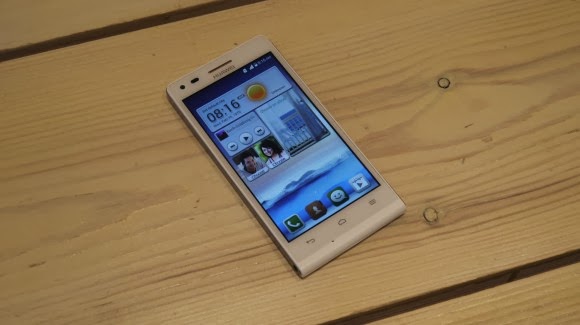
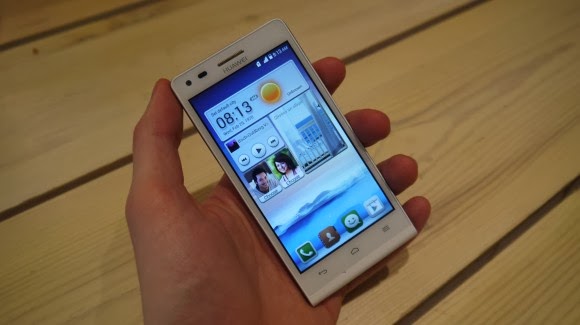
    Earlier this week one of the leading leading global information and communications technology (ICT) giants Huawei registered a new name, Huawei Ascend G6 4G smart phone to the already populated smartphone industry. The 4G LTE-enabled Android device is set to face tough competitions from the likes of Samsung Galaxy S5 and Tecno P5 in the smartphone market, especially in Africa, Asia & Middle East where the the later has left it’s mark.

    The smartphone device will be featuring the latest version of 4G technology – CAT 4 – giving you a super speedy internet connection.

    Inside Ascend G6

    The new 4G LTE-enabled smartphone brings ease of use back to smartphone ownership and opens up a world of fun and colorful new ways to stay connected without boundaries.

    With a 4.5-inch qHD display, 5-megapixel front-facing camera and Emotion UI 2.0 , the product is an ideal companion for those who want to share better.

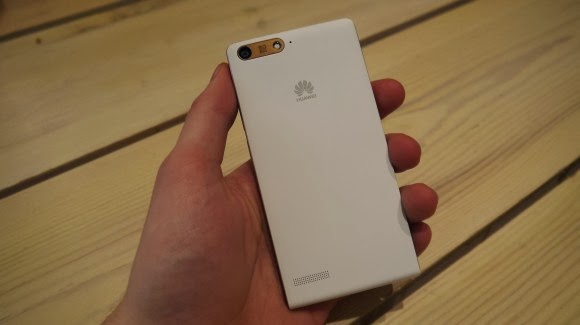
    With the product, there are also endless opportunities to explore surroundings with multi-shot capture, horizontal shooting and panoramic functions, thanks to the five plastic elements (5P) lens of the 8-megapixel AF BSI f/2.0 aperture rear-facing camera.

    Alternatively, the voice-activated hands-free ‘selfie’ function shows off camera-ready poses.

    Describing the product, , Richard Yu, CEO, Huawei Consumer Business Group, said it is stylish, colorful, and lightning fast smartphone designed to break down barriers.

    With its handy 4G LTE connectivity, he said that it is easy-to-use interface and dynamic cameras offering a multitude of photographic opportunities.

    Interestingly, filming or photographing in low light is a breeze with Ascend G6 4G’s in-built Sony IMX134 sensor, blue glass infrared filter and integrated camera flash for sharp, clear images.

    Featuring the latest version of the intuitive, easy-to-use interface, Emotion UI 2.0, HUAWEI Ascend G6 4G brings smartphone use within reach for everyone

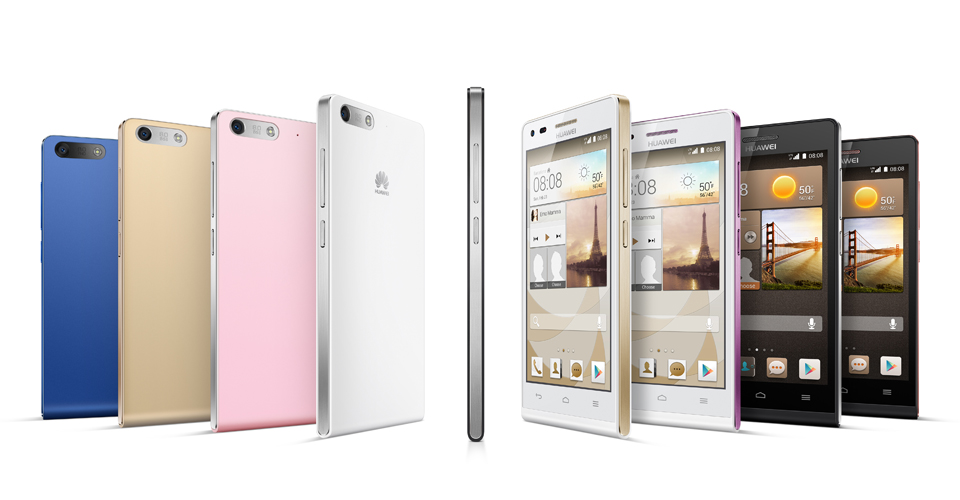
    However, the phone brings vibrant color to life with its crystal clear 4.5-inch qHD 960 x 540 LCD display and 245PPI. At 7.85mm slim and weighing 115g, Ascend G6 4G builds upon the stylish ‘double C’ design of the popular Ascend P6 smartphone and is available in a range of colors including black with light gunmetal grey or rose gold highlights, or in white with pink or champagne gold .

    Unsurprisingly for a phone which is going to come in at under $330 the Huawei Ascend G6 sports an all plastic construction, although it is solid and the thick, faux-metal band which runs round the circumference keeps everything together nicely.

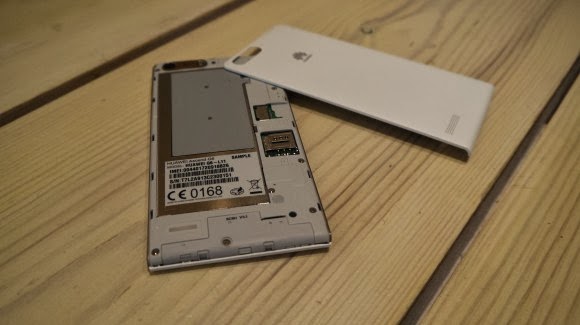
    Available in black, white, pink, gold or blue colors, the product runs on a powerful quad-core 1.2 GHz processor and robust 2000 mAh lithium polymer battery with up to 30 percent power saving, HUAWEI Ascend G6 4G is 4G LTE-enabled to make connectivity faster and more reliable than ever before.

    Movies can be downloaded in minutes and work files uploaded in seconds with speeds of up to 150 Mbps. Smart photo album, internet, notification and permission management provides full control over the information shared.

    In addition, the ‘one key scan’ function maintains peak performance through ‘phone speed tracking’, ‘power conservation’, ‘storage cleaning’ and ‘harassment filter.’ Ascend G6 4G also supports NFC sharing for mobile payments.

    The product offers an enhanced smartphone camera experience with Huawei’s proprietary self-focus tips and preview screen.

    The four plastic element (4P) lens featured on the 5-megapixel front-facing camera provides audio controlled spontaneous snapping, auto-scene recognition and auto-facial enhancement. Featuring 88 degree wide-angle shooting, Ascend G6 4G enables you to take all-inclusive photos that will wow family and friends.

    Add an extra dimension to photos with the ‘Voice Photo’ function that takes photos accompanied by 10-second audio clips that can be shared via Facebook and WeChat, such as at a wedding when you capture the bride and groom saying “I do.” Price When Rated: $350$330 Our Rating: 3.5   Operating System: OS Android 4.3 Jelly Bean